


LinkedIn Ad Competitor Analyzer
This workflow automates LinkedIn ad market research by identifying top competitors for a keyword, analyzing their ad copy and visuals, and presenting actionable...
4 min read

The Vision Tool component lets AI analyze images, extract valuable insights, and answer questions based on visual content within your workflows.
Component description
The Vision Tool is a component designed to enable AI workflows to process and analyze images provided as attachments. It empowers AI agents to “see” images, extract meaningful information, and answer questions about the visual content. This makes it especially valuable for scenarios where understanding or interpreting images is essential, such as document processing, visual QA, content moderation, or multimedia analysis.
| Input Name | Type | Description | Required | Advanced |
|---|---|---|---|---|
| LLM (model) | BaseChatModel | The language model used for generating text responses based on image analysis. | No | No |
| Tool Description | String (multi) | Description that helps the agent understand how to use this tool. | No | Yes |
| Tool Name | String | The reference name for this tool within agent workflows. | No | Yes |
| Verbose | Boolean | Option to enable detailed (verbose) output for debugging or transparency. | No | Yes |
| Output Name | Type | Description |
|---|---|---|
| Tool | Tool | The configured Vision Tool instance ready for integration |
The Vision Tool outputs a Tool instance that can be used by AI agents to process images and produce relevant responses.
Incorporating the Vision Tool into your AI processes unlocks the ability to work with visual data, not just text. It bridges the gap between language and image understanding, creating opportunities for richer, more interactive, and intelligent applications.
Summary of Benefits:
By using the Vision Tool, your AI workflows can become more capable and versatile, paving the way for next-generation applications that leverage both text and vision intelligence.
To help you get started quickly, we have prepared several example flow templates that demonstrate how to use the Vision Tool component effectively. These templates showcase different use cases and best practices, making it easier for you to understand and implement the component in your own projects.
This workflow automates LinkedIn ad market research by identifying top competitors for a keyword, analyzing their ad copy and visuals, and presenting actionable...
Enhance your workflows with AI-powered image understanding—try the Vision Tool in FlowHunt today.
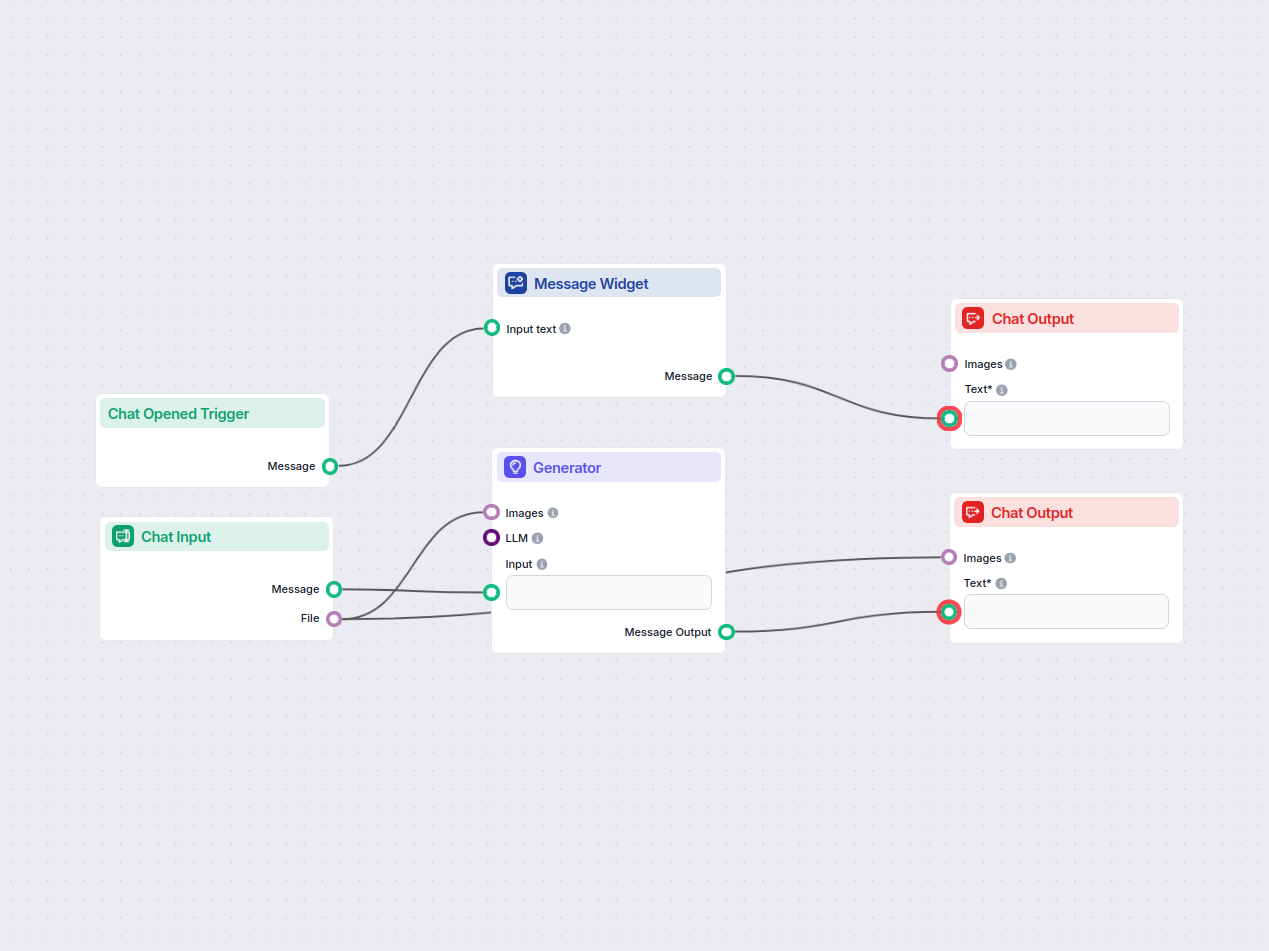
A chatbot that lets users upload images and ask questions about their content. It uses OCR and visual recognition to analyze the image and provides relevant ans...

Master the AI Agent component in FlowHunt workflows. Learn to configure system messages, connect tools, select models, and optimize agent performance for intell...
Cookie Consent
We use cookies to enhance your browsing experience and analyze our traffic. See our privacy policy.