8 Best Power Automate Alternatives in 2026 (Free & Paid)
Looking for Microsoft Power Automate alternatives? We compared 8 tools on pricing, AI capabilities, ease of use, and integrations — so you can find the best fit.
Power Automate
Microsoft
Alternatives
Workflow Automation
Microsoft Power Automate is the default automation tool for organizations deeply embedded in the Microsoft 365 ecosystem. But it comes with real constraints: steep per-user pricing, a strong bias toward Microsoft apps, a clunky interface compared to modern alternatives, and AI features that lag behind purpose-built platforms.
If you’re looking for a Power Automate alternative — whether you want better AI, lower cost, stack-agnostic integrations, or open-source flexibility — this guide has you covered.
What is Microsoft Power Automate?
Power Automate (formerly Microsoft Flow) is Microsoft’s cloud-based automation platform, part of the Power Platform suite alongside Power BI, Power Apps, and Power Pages. It lets users build automated workflows between Microsoft 365 apps (SharePoint, Teams, Outlook, Dynamics) and third-party services.
Power Automate has two main modes:
Cloud flows — event-triggered automations between web apps
Desktop flows (RPA) — robotic process automation for legacy desktop apps
Its primary advantage is deep native integration with the Microsoft 365 stack. For organizations that live in Teams, SharePoint, and Dynamics 365, Power Automate is a natural fit. For everyone else, it’s often the wrong tool.
Quick Comparison: Power Automate vs Alternatives
Tool
Best For
Free Tier
Starting Price
Self-Host
AI-Native
FlowHunt
AI-native automation
✅
Usage-based
❌
✅
Power Automate
Microsoft 365 users
✅ (limited)
$15/user/mo
❌
Partial
Zapier
Broad app coverage
✅
$19.99/mo
❌
Partial
Make
Visual complex workflows
✅
$9/mo
❌
Partial
n8n
Open-source, self-host
✅
Free / $20/mo
✅
✅
Activepieces
Open-source, familiar UI
✅
Free / $99/mo
✅
Partial
Pabbly Connect
Budget, high volume
❌
$19/mo
❌
❌
Pipedream
Developers, custom code
✅
$19/mo
✅
Partial
Workato
Enterprise iPaaS
❌
Custom
❌
Partial
Ready to grow your business?
Start your free trial today and see results within days.
1. FlowHunt — Best Power Automate Alternative for AI Workflows
FlowHunt is what modern workflow automation looks like when it’s built from the ground up for AI. Unlike Power Automate’s rule-based flow model, FlowHunt lets you build intelligent agents that read unstructured inputs, reason about what to do next, and execute across dozens of tools in sequence.
Where Power Automate asks “what condition triggers this action?”, FlowHunt asks “what does this agent need to accomplish?” — a fundamentally different paradigm that handles edge cases, ambiguous inputs, and multi-step reasoning that rule-based flows can’t.
Key advantages over Power Automate:
No Microsoft lock-in — connect any tool in your stack, not just Microsoft apps
AI reasoning built in — agents understand intent, not just condition matches
1,400+ integrations — comparable coverage without premium connector upcharges
No per-user licensing — usage-based pricing scales with actual workload
Faster setup — build a working automation in minutes, not hours
Pricing: Free tier available. Paid plans scale by usage, not by user count.
Stack-agnostic — works whether you’re in Google Workspace, Salesforce, or anything else
No extra licensing for “premium connectors”
Superior for customer support, content generation, and lead qualification workflows
Cons:
No RPA/desktop automation for legacy apps (Power Automate’s RPA remains unique)
Not the best choice if you need deep SharePoint/Teams native triggers
Best for: Teams outside the Microsoft ecosystem that want AI-powered automation without per-user licensing, premium connector fees, or rule-based logic constraints.
Zapier is the most widely used no-code automation platform, with connectors for 6,000+ apps. If your primary frustration with Power Automate is its limited non-Microsoft app library, Zapier solves that immediately.
Pricing: Free tier (100 tasks/month). Starter from $19.99/month (750 tasks), Professional from $49/month (2,000 tasks), Team from $69/month (2,000 tasks + shared workspaces), Enterprise custom.
Key features:
6,000+ app integrations — the largest catalog of any automation platform
Zapier AI for building Zaps from natural language descriptions
Paths for conditional branching and multi-route logic
Filters to run steps only when specific conditions are met
Formatter tool for data transformation (text, dates, numbers)
Zapier Tables for lightweight in-platform data storage
Multi-step Zaps with loops, delays, and sub-Zap triggers
AI features still catching up to dedicated AI platforms
Limited logic for complex multi-step branching
Best for: Non-technical teams that need broad app coverage and fast setup — especially when switching away from Power Automate’s limited non-Microsoft connector library.
Join our newsletter
Get latest tips, trends, and deals for free.
3. Make — Best for Visual Complex Workflows
Make (formerly Integromat) offers a visual canvas-based editor that makes multi-step, branching workflows far easier to build than Power Automate’s linear interface. It’s especially strong for data transformation between apps.
Pricing: Free tier (1,000 ops/month). Core from $9/month (10,000 ops), Pro from $16/month (10,000 ops + advanced scheduling), Teams from $29/month (collaboration), Enterprise custom.
Key features:
Visual canvas workflow builder displaying full data flow between modules
1,800+ app integrations including all major SaaS platforms
Advanced data transformation with built-in array, text, date, and math functions
Iterator and aggregator modules for processing lists and collections
Error handling routes with custom catch paths and auto-retry
Real-time scenario execution monitoring with per-module input/output inspection
Router module for splitting workflow into parallel branches
Pros:
Excellent visual workflow builder with real-time execution logs
Strong data manipulation and transformation tools
Significantly cheaper than Power Automate at equivalent usage
Cons:
“Operations” pricing model can be confusing to estimate
Steeper learning curve than Zapier for first-time users
Best for: Teams that need complex multi-step workflows with branching, data transformation, and parallel routes — and want significantly lower costs than Power Automate or Zapier.
4. n8n — Best Open-Source Alternative
n8n is the leading open-source workflow automation platform, self-hostable on your own infrastructure. It has native AI nodes (including LLM integrations and vector stores) built right into the editor — something Power Automate is still catching up on.
Pricing: Free (self-hosted, fair-code license). Cloud Starter from $20/month (5 active workflows), Pro from $50/month (15 active workflows), Enterprise custom.
Key features:
500+ native nodes plus community-built node library
Native AI nodes: LLM chains, vector store queries, AI agent orchestration
Code node for executing JavaScript or Python mid-workflow
Sub-workflow support for modular, reusable automation components
Self-hostable via Docker with PostgreSQL or SQLite backend
Webhook triggers, cron schedules, and app-based event triggers
Full workflow version history and one-click rollback
Pros:
Full data sovereignty — host on your own servers
Native AI/LLM nodes built in
Strong developer community and extensive documentation
Cons:
Self-hosting requires DevOps knowledge
Smaller app catalog than Zapier (~500 native nodes)
Best for: Developer-led teams that need data sovereignty, AI/LLM workflow nodes, and full control over their automation infrastructure.
5. Activepieces — Best Open-Source for Non-Developers
Activepieces is a newer open-source automation platform with a Zapier-like drag-and-drop interface. It’s easier for non-technical teams than n8n while still offering self-hosting for compliance.
Drag-and-drop flow builder with a familiar Zapier-like linear step interface
500+ community-built pieces with weekly new additions
Branching logic, loops, delay steps, and conditional routing without code
TypeScript custom code steps for advanced transformations
Self-hosting via Docker Compose with straightforward deployment docs
AI pieces for OpenAI, Anthropic, and open-source models
Webhook and schedule triggers with event-based flow activation
Pros:
Most beginner-friendly open-source automation tool
Growing piece library with 100+ integrations
Active community adding new connectors regularly
Cons:
Smaller integration catalog than n8n or Make
Cloud pricing is high relative to features at the team tier
Best for: Non-technical teams that want open-source and self-hosting for compliance, but need a simpler UI than n8n — without writing code.
6. Pabbly Connect — Best Budget Alternative
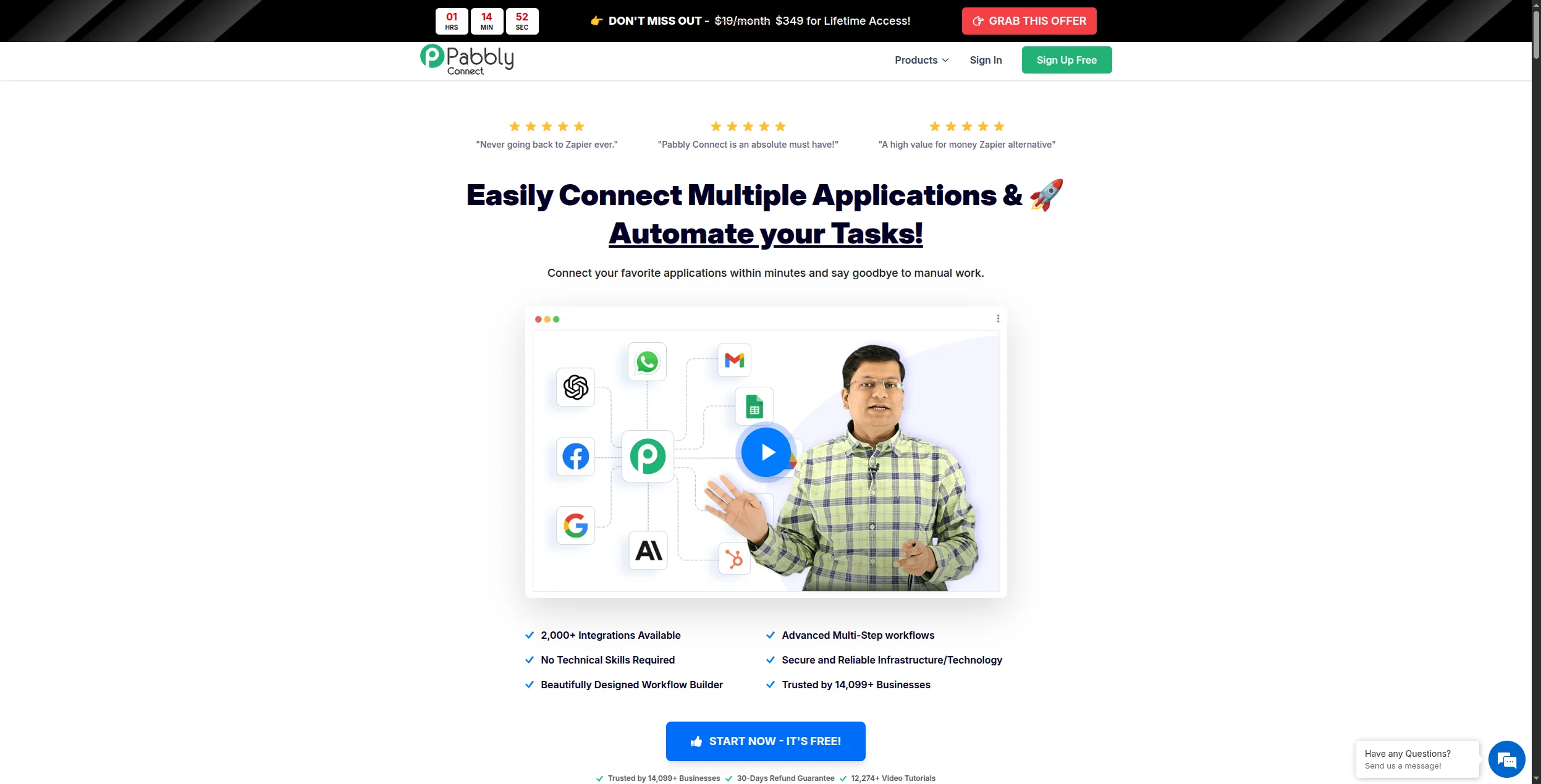
Pabbly Connect offers unlimited workflows and connections at a flat monthly price — and a lifetime deal option that beats every SaaS alternative on long-term cost. For small businesses running high-volume simple automations, it’s hard to beat.
Pricing: Standard from $19/month (unlimited workflows, 10,000 tasks/month). Pro from $39/month (50,000 tasks). Ultimate from $79/month (unlimited tasks). Lifetime deal from $249 one-time (forever access, unlimited workflows).
Key features:
1,000+ app integrations with trigger-action workflow builder
Unlimited workflows and connections on all paid plans — no per-workflow fee
Multi-step automation with filters, paths, and formatters
Iterator for processing lists and bulk records in a single workflow
Re-execution of historical workflow runs for debugging
Shared connections for team use without credential re-entry
One-time lifetime pricing option — unique in this market segment
Pros:
Truly unlimited workflows and operations
One-time pricing available — rare in this category
No task/operation limits at most plan tiers
Cons:
No AI capabilities
Smaller app library than Zapier or Make
No self-hosting option
Best for: Small businesses running high-volume, simple automations that want unlimited workflows and the lowest long-term cost — including teams who want a one-time lifetime deal.
7. Pipedream — Best for Developers
Pipedream is an event-driven automation platform that lets developers write custom Node.js or Python code steps alongside pre-built integrations. It’s the strongest choice if your team can code and wants maximum flexibility.
Pricing: Free tier (10,000 credits/month). Basic from $29/month (100,000 credits). Advanced from $99/month (1M credits, dedicated workers). Business from $499/month (10M credits). Enterprise custom.
Key features:
1,000+ pre-built triggers and actions across major SaaS platforms
Custom code steps in Node.js, Python, Go, or Bash at any point in a workflow
Serverless execution — no containers or servers to configure
npm and PyPI package support directly in code steps
Built-in data store for simple key-value persistence between workflow runs
Workflow versioning with full run history and per-step debugging
Pros:
Full code step support alongside no-code integrations
1,000+ pre-built triggers and actions
Excellent for API-heavy, developer-built automations
Cons:
Requires coding knowledge to use effectively
Less suited for non-technical business users
Best for: Engineering and DevOps teams that need custom code steps alongside integrations — especially for API-heavy or event-driven automation that no-code tools can’t handle.
8. Workato — Best Enterprise Alternative
Workato is an enterprise iPaaS (integration Platform as a Service) with deep ERP/CRM connectors, strong IT governance, and AI-assisted recipe building. It’s the closest enterprise-grade comparison to Power Automate for large organizations not in the Microsoft ecosystem.
Pricing: Custom (enterprise). No public pricing — contracts typically start at $10,000–$15,000/year; full enterprise deployments commonly exceed $50,000/year. Pricing based on recipe count, connector tiers, and monthly active users.
Key features:
1,200+ pre-built connectors including SAP, Oracle, Workday, Salesforce, ServiceNow, and NetSuite
Workato AI Copilot generates recipe steps from natural language prompts
Recipe Lifecycle Management for dev/staging/production workflow governance
On-prem agent for connecting to internal databases and legacy behind-firewall systems
Real-time and batch processing with high-volume event handling
Built-in API platform for exposing internal data as REST APIs
Role-based access control, audit logs, and data masking for enterprise compliance
Pros:
Enterprise-grade security and compliance controls
Deep Salesforce, SAP, Oracle, Workday connectors
AI Copilot for recipe building
Cons:
Very expensive — not suitable for SMBs
Requires dedicated implementation time
Best for: Large enterprises replacing Power Automate in non-Microsoft environments that need enterprise-grade security, deep ERP/CRM connectors, and IT governance controls.
Which Power Automate Alternative Should You Choose?
You want AI-native automation → FlowHunt
You need the most app integrations → Zapier
You want visual complex workflows at low cost → Make
You need open-source and data sovereignty → n8n
You want open-source with a simple UI → Activepieces
You want the cheapest option long-term → Pabbly Connect
Your team can code → Pipedream
You’re replacing enterprise iPaaS → Workato
For most teams switching away from Power Automate, the deciding factors are: how much you rely on the Microsoft 365 stack, whether you need AI reasoning vs simple rules, and your budget. FlowHunt addresses the AI gap; Make and n8n address the pricing and flexibility gaps.
n8n (self-hosted) and Activepieces (self-hosted) are completely free. FlowHunt offers a generous free tier. Make and Pipedream also have free plans with useful limits. If you're not tied to the Microsoft ecosystem, any of these are strong options without the per-user licensing cost.
The main reasons are: (1) Power Automate is deeply tied to Microsoft 365 — it becomes limiting once you need to connect non-Microsoft apps; (2) premium connector licensing adds up fast; (3) the interface has a steep learning curve compared to tools like Make or Zapier; (4) AI capabilities are behind purpose-built platforms like FlowHunt.
Absolutely. Most Power Automate alternatives — FlowHunt, Zapier, Make, n8n, Activepieces — are stack-agnostic and work with any combination of apps. Power Automate's main edge is deep Microsoft 365 integration, which is irrelevant if you're not in that ecosystem.
Power Automate charges per user per month ($15 for standard, $40 for premium with attended RPA). Make starts at $9/month for the team. Zapier's Professional plan starts at $49/month. Pabbly Connect offers a lifetime deal from $249 one-time. n8n is free self-hosted. For most SMBs, alternatives are significantly cheaper.
Yes — n8n and Activepieces are both open-source and self-hostable. n8n is especially popular with technical teams for its flexibility, native AI node support, and active community. Both give you full data control without SaaS pricing.
Arshia is an AI Workflow Engineer at FlowHunt. With a background in computer science and a passion for AI, he specializes in creating efficient workflows that integrate AI tools into everyday tasks, enhancing productivity and creativity.
Arshia Kahani
AI Workflow Engineer
The Power Automate Alternative Built for AI — Try FlowHunt Free
FlowHunt gives you AI-native workflow automation that works with any stack — not just Microsoft 365. Build intelligent agents in minutes, no code required.
Best Workflow Automation Tools in 2026: 12 Platforms Ranked and Reviewed
Ranked and reviewed: the 12 best workflow automation tools in 2026. Comparison table, pricing, free tiers, and a clear verdict on which platform fits your team.
Best Zapier Alternatives in 2026: 12 Tools That Do More for Less
Ranked and reviewed: the 12 best Zapier alternatives in 2026. Whether you need AI-native automation, cheaper pricing, self-hosting, or enterprise power — there'...
8 Best Workato Alternatives in 2026 (Enterprise & Mid-Market)
Workato's pricing puts enterprise automation out of reach for most teams. We compared 8 Workato alternatives on cost, integrations, AI capabilities, and enterpr...
16 min read
Workato
Enterprise Automation
+2
Cookie Consent We use cookies to enhance your browsing experience and analyze our traffic. See our privacy policy.